¶ Threshold Screen
Set and manage alert limits for device parameters based on severity levels.
To access the Threshold screen, click the profile icon on the home screen, then select "Threshold."
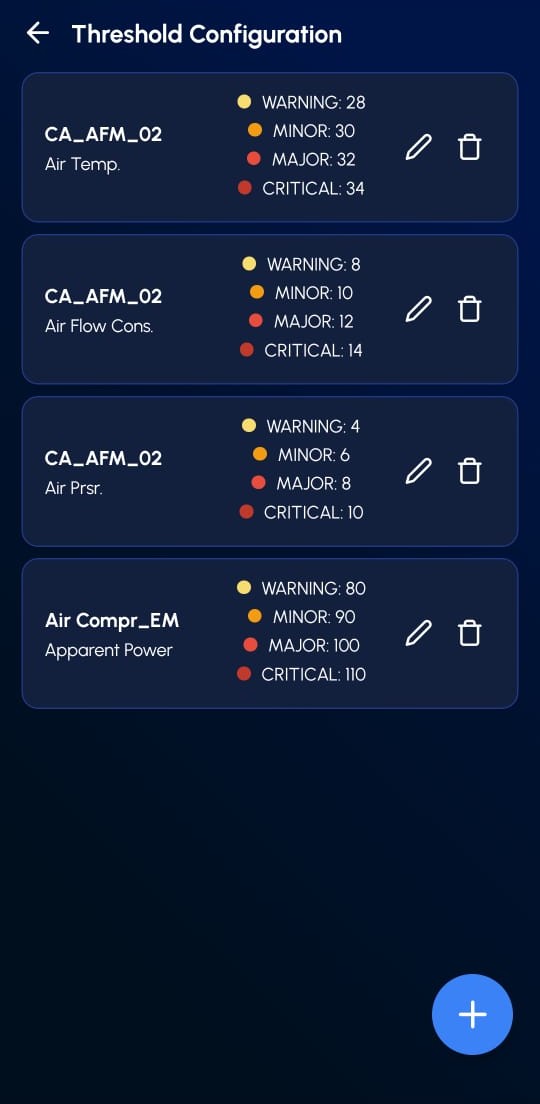
¶ Threshold Configuration
- View and manage threshold limits for each device parameter.
- Four severity levels are supported: Warning, Minor, Major, Critical
- Tap the edit button to modify a parameter's thresholds.
- Tap the delete button to remove a parameter.
- Tap the add button at the bottom to create a new threshold configuration.
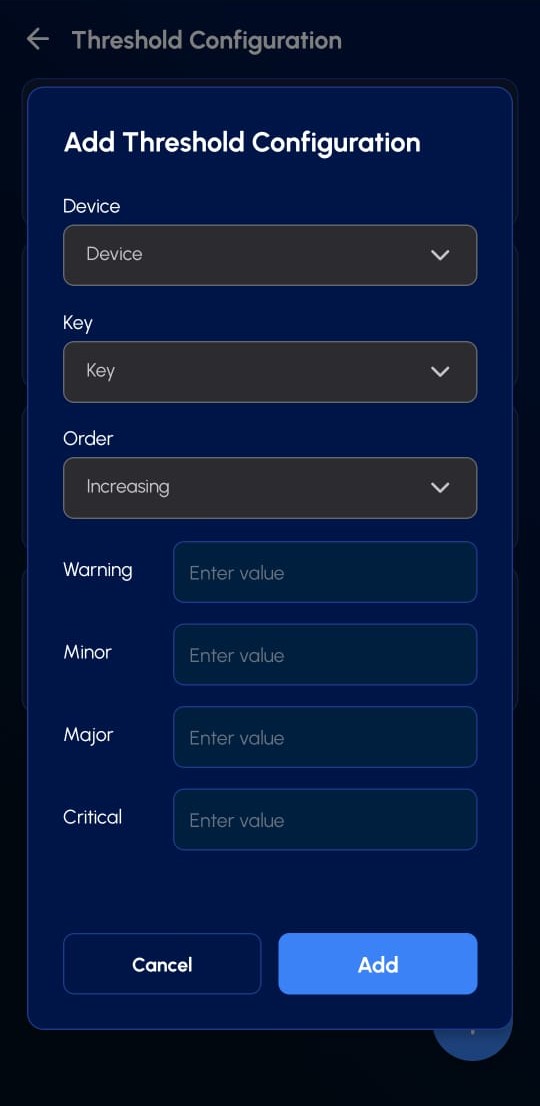
¶ Add Threshold Configuration
Set up new threshold limits for a specific device parameter.
- Device: Select the device to configure.
- Key: Choose the data parameter (e.g., temperature, pressure).
- Order: Define if thresholds increase or decrease with severity.
- Warning / Minor / Major / Critical: Enter limit values for each level.
- Tap Add to save, or Cancel to discard changes.
You will see different colors in the downloaded reports based on the set thresholds.