¶ Sidebar
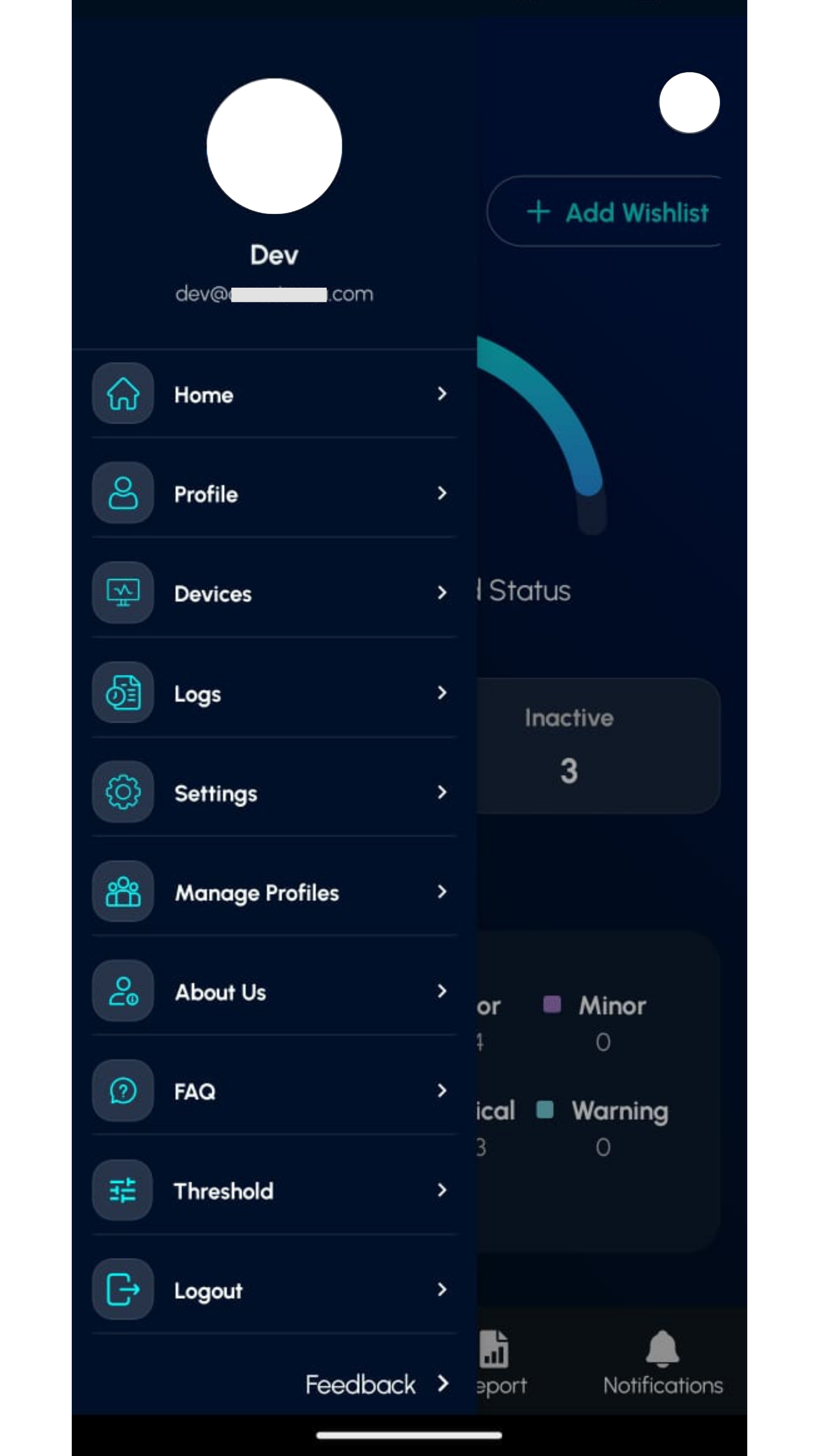
A slide-out menu providing quick access to all app features and user account options.
To view the sidebar, click the profile icon on the home screen.
¶ Sidebar Menu Overview
Home – Go to the main dashboard view
Profile – View your user details
Devices – Manage and monitor connected devices
Logs – Check activity and event history
Settings – Customize app preferences
Manage Profiles – Switch or edit user profiles
About Us – Learn more about the app and company
FAQ – Find answers to common questions
Threshold – This feature is primarily designed for the convenience of users, allowing them to instantly cross-check values by setting thresholds and generating a color-coded report. These threshold settings are independent and do not affect the web-based thresholds.
Logout – Sign out from the application
Feedback – Share your experience or report issues