¶ Report Screen
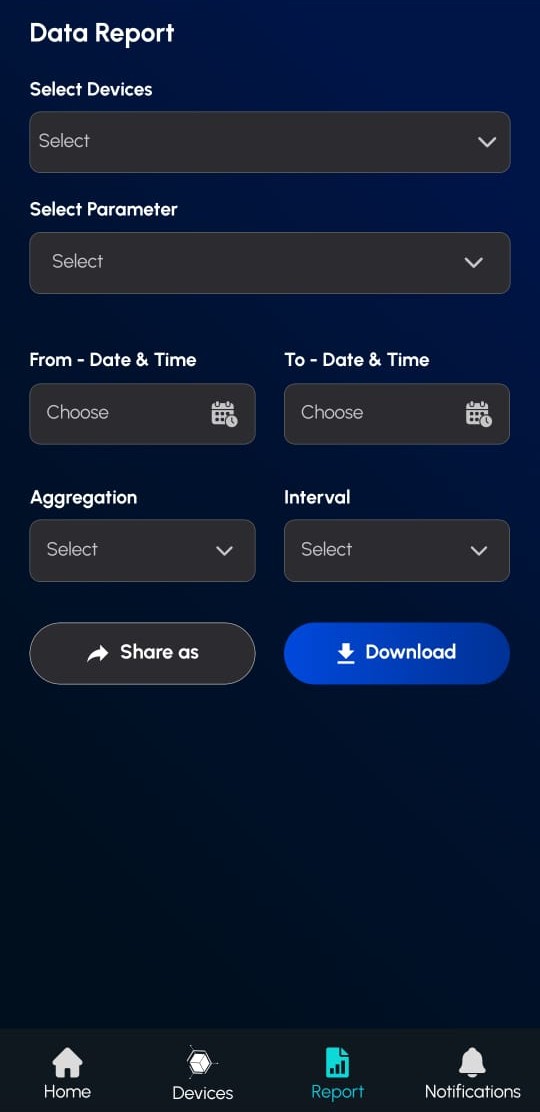
Generate custom reports from your device data with specific parameters and time ranges.
¶ How to Create a Report
Step 1: Select Device
- Tap the "Select" dropdown to choose your device.
- Only one device can be selected at a time.
Step 2: Choose Parameter
- Pick which data parameter to include in the report.
- Device must be selected first for parameters to appear.
Step 3: Set Time Range
- From Date & Time: Tap to set the start date/time.
- To Date & Time: Tap to set the end date/time.
- Use the calendar picker for easier selection.
Step 4: Configure Data Processing
- Aggregation: Select how data should be grouped (e.g., Average, Sum).
- Interval: Define the grouping range (e.g., Hourly, Daily).
Step 5: Export Your Report
- Share: Export and share via Excel or PDF.
- Download: Save the report directly to your device.