¶ Home Screen
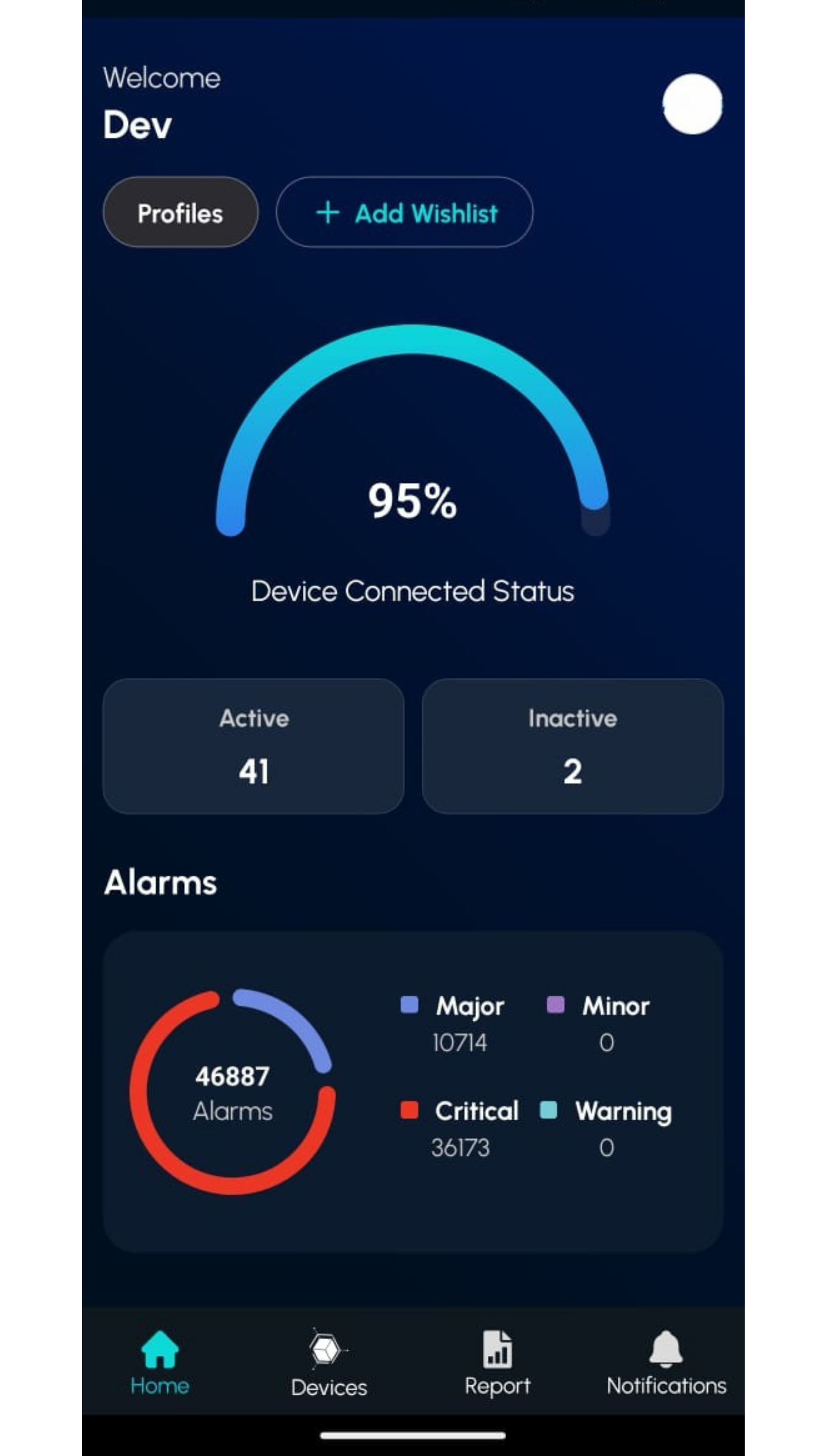
The Home Screen is the central hub of the mobile application, providing users with an intuitive interface to access key features such as the Dashboard, Devices, Alarms, and Reports. It features a responsive design with a sidebar for additional navigation options and a bottom navigation bar for quick access to main sections. The screen adapts to light and dark themes and displays real-time data about devices and alarms.
¶ Add Wishlist
Creating a wishlist allows you to add important parameters to the home screen for quick access.
Click the "Add Wishlist" button at the top of the home screen. A new screen will appear like this.
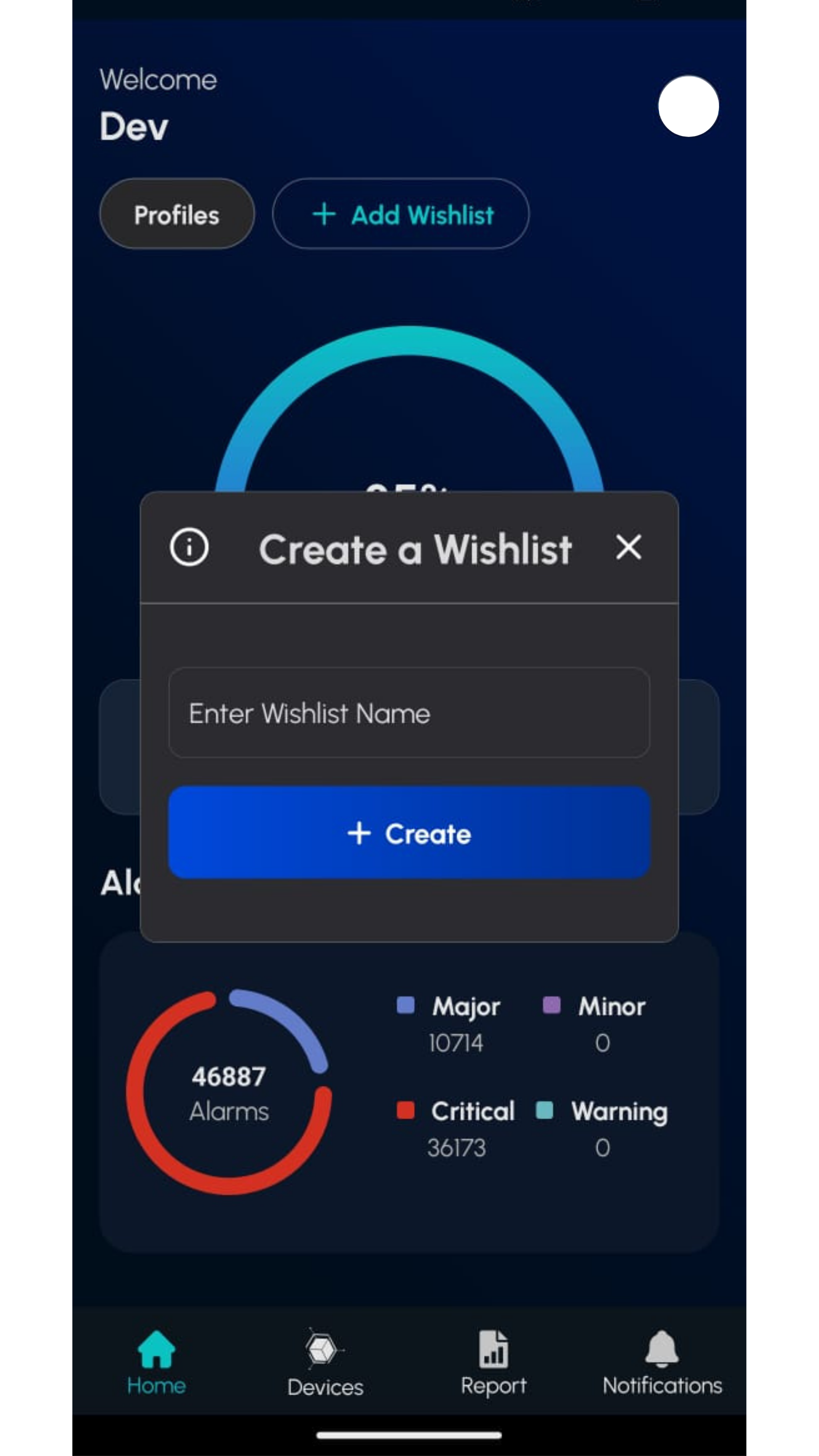
Enter your wishlist name here and press Enter. It will then be displayed on the home screen.
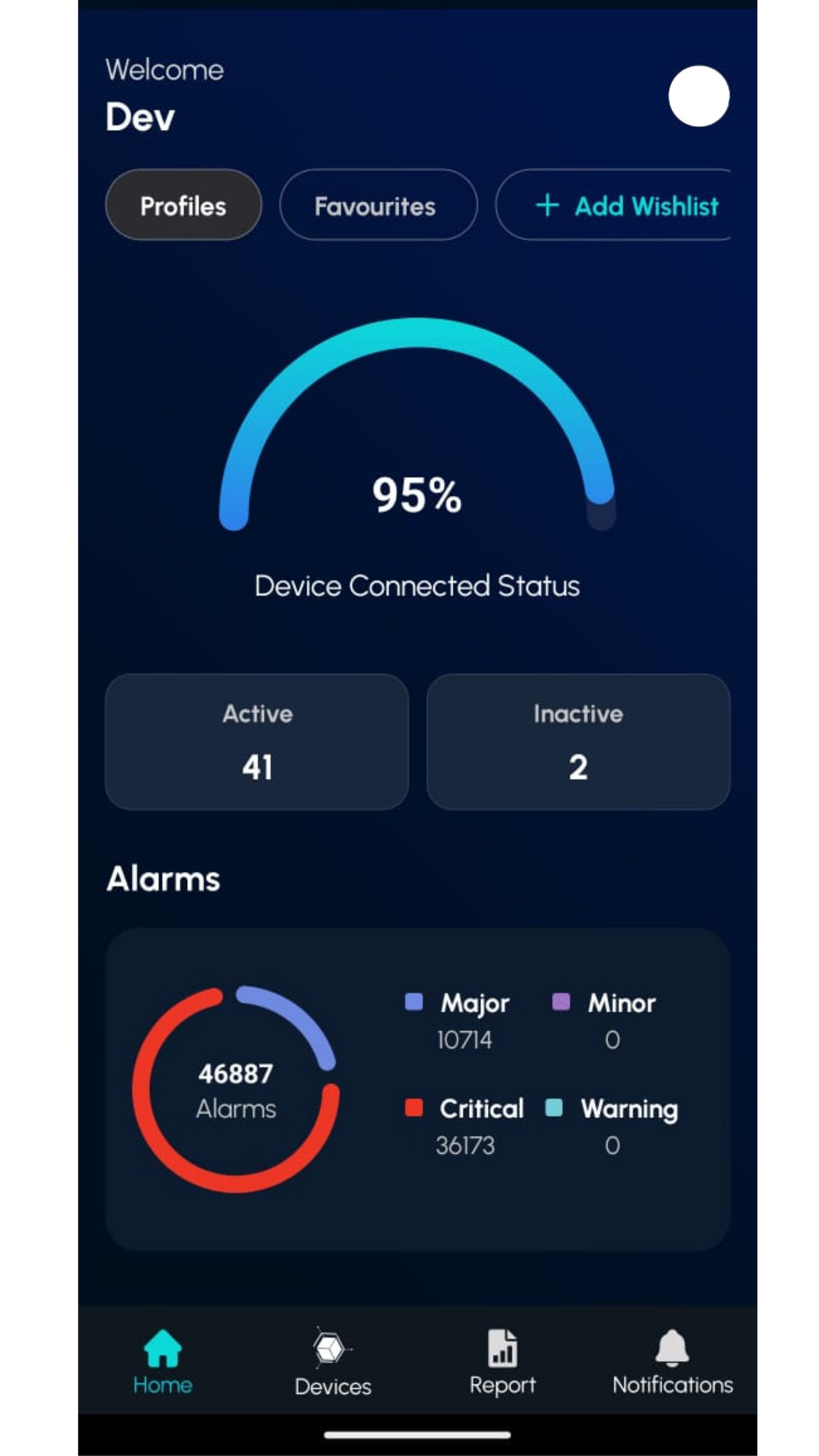
After creating a wishlist, go to the Devices page and bookmark any parameters. They will be saved in the wishlist you created. Then, return to the home screen and click on your wishlist to view the bookmarked parameters.
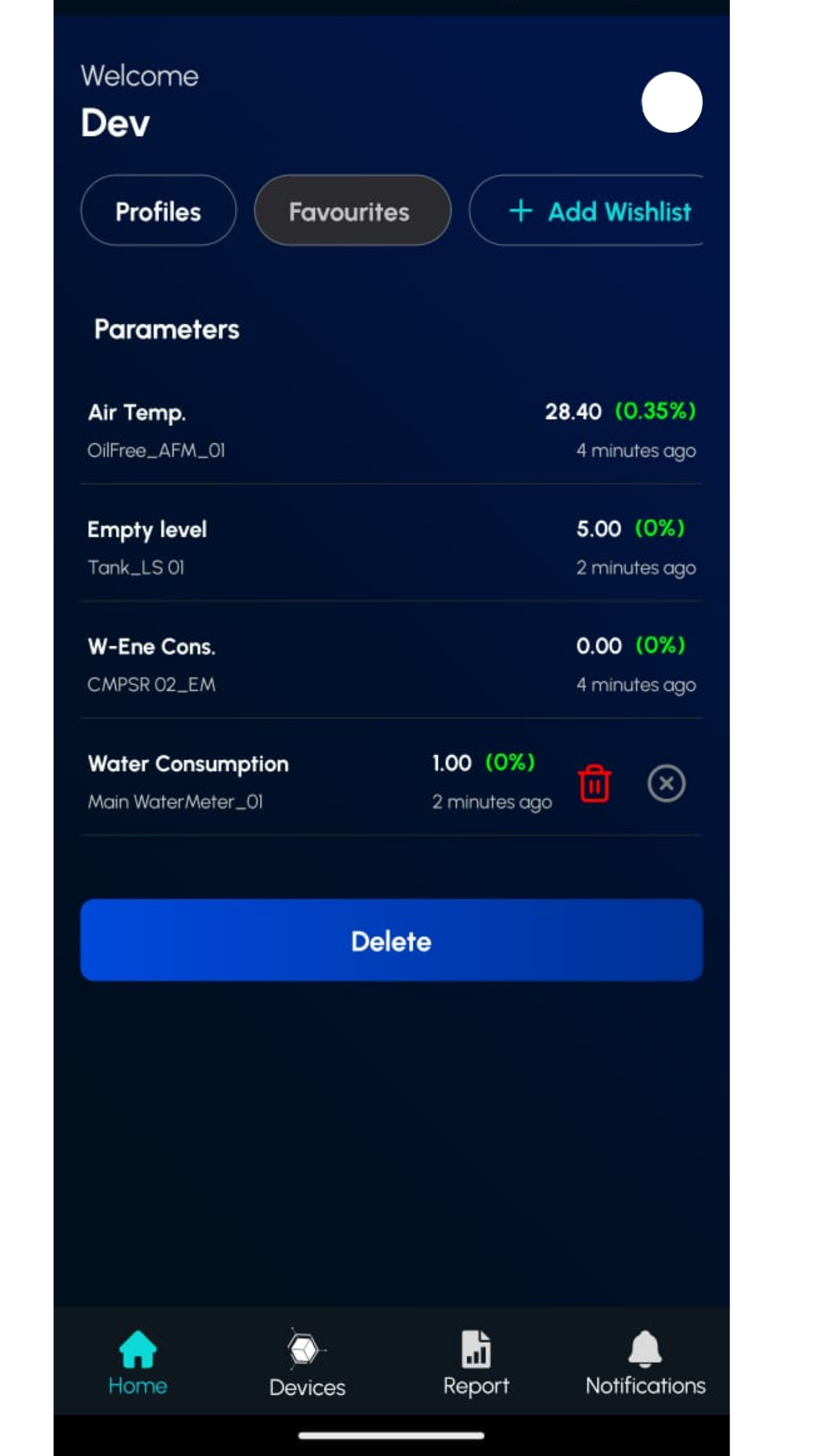
You can delete a single parameter by long-pressing it; a delete option will appear. To delete the entire wishlist, use the delete button at the bottom.